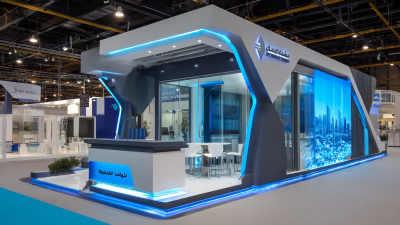
Inquiry
Form loading...

Why Are Exhibition Display Systems Important for Trade Shows?

At a busy trade show, a booth competes with bright signs, passing conversations, and limited visitor attention. Exhibition Display Systems help turn that small space into a clear, usable presentation. Their role is practical: they support product demonstrations, make key information easier to find, and give staff a consistent place to speak with visitors. A well-planned display can guide someone from the aisle to a sample, screen, or conversation without making the booth feel crowded.

The details matter. A stable frame, readable graphics, suitable lighting, and reachable product samples can make a booth easier to explore. Clear sightlines help visitors understand the message quickly, while modular components may simplify transport and setup. These choices also affect staff: they need room to move, answer questions, and keep materials organized during a long event day. Small disruptions count. A glare-covered screen or hard-to-read sign can weaken an otherwise thoughtful presentation.

Still, a polished display does not guarantee leads or sales. Visitor interest, product fit, staff preparation, and follow-up all play a part. Even careful planning can miss something; a layout that looks spacious on a drawing may feel tight once people gather around it. That is worth reviewing. This article explores why exhibition displays matter at trade shows, what features deserve attention, and how businesses can choose a system that supports both their message and the people delivering it.
Why Are Exhibition Display Systems Important for Trade Shows?

What Exhibition Display Systems Are

An exhibition display system is the physical framework that presents a company, product, or service at a trade show. It may combine a lightweight frame, printed panels, fabric graphics, shelves, counters, and lighting. Some systems also include monitor mounts or storage cabinets. Together, these parts create a defined space visitors can recognize from across an aisle. It is more than a large printed banner.

Systems vary in size and construction. Aluminum frames are often chosen for their low weight, while fabric or rigid panels provide surfaces for graphics and product information. Connectors hold the structure together, and some designs allow components to be reused in different layouts. A small tabletop display may suit samples and brochures. A larger booth might include a meeting counter and shelves for hands-on demonstrations. That matters.

Choosing a system involves more than appearance. Consider booth dimensions, setup time, storage, transport, and how visitors will move through the space. Clear sightlines help people notice key information, while accessible shelves make products easier to examine. Cables, uneven lighting, and crowded counters can undermine a polished design. Not every booth needs more equipment. Sometimes a simple structure works better, though teams may overlook practical details until setup day.

Why Are Exhibition Display Systems Important for Trade Shows? — What Exhibition Display Systems Are

System Element What It Is Why It Matters at a Trade Show Practical Consideration
Structural framework A supporting structure, often made from reusable components, that defines the booth’s shape and holds graphics or accessories. Creates a clear, organized booth layout and provides a stable base for the display. Check the venue’s booth-height, safety, and installation rules before planning the structure.
Printed graphics and panels Printed surfaces or panels that communicate the exhibitor’s message, product information, and visual identity. Help visitors recognize the booth and understand its subject from the aisle. Use concise, readable copy and prepare artwork to the supplier’s specified dimensions and file requirements.
Lighting Task or accent lighting used to illuminate graphics, products, demonstrations, or meeting areas. Improves visibility and can draw attention to specific parts of the booth. Confirm available power, permitted fixtures, and electrical requirements with the venue or show organizer.
Counters and product plinths Furniture or raised platforms used for visitor interactions, product presentation, or demonstrations. Provide practical surfaces for conversations and give featured items a defined place. Allow enough clear space for visitors and staff to move comfortably around them.
Audio-visual equipment Screens, monitors, speakers, or other equipment used to present video, demonstrations, or digital content. Can explain products and services visually, especially when a live demonstration is not always available. Plan for power, placement, viewing distance, sound levels, and any required connections.
Flooring and booth layout Floor coverings and the arrangement of display, product, and visitor areas within the booth footprint. Help define the exhibit space and support a clear visitor route. Confirm what flooring is included with the booth space and check accessibility and trip-hazard requirements.
Storage and cable management Enclosed or designated areas for supplies, personal items, equipment, and cables. Keep the visible display area tidy and reduce clutter around visitor-facing spaces. Include storage and cable routing in the layout rather than adding them as an afterthought.
Modular and reusable components Components designed to be assembled, rearranged, or reused in different configurations. Can make it easier to adapt a display to different booth sizes and future events. Check component compatibility, transport needs, assembly instructions, and replacement-part availability.

How Display Systems Organize a Trade Show Booth

An exhibition display system gives a trade show booth a clear physical structure. Its walls, counters, shelves, and signs help visitors understand where to look and where to go. Without that structure, product samples can compete with brochures, screens, and staff for attention. The booth may feel crowded even when it has enough floor space.

Plan the layout around visitor movement. Keep the main entrance open, then place a reception counter to one side rather than directly in the path. Use a tall panel at the back for the main message, and put smaller product details at eye level nearby. A low table can invite hands-on viewing without blocking sightlines. Small details matter. Leave enough room for two people to pause without stopping everyone behind them.

Display systems also help teams separate activities. A narrow storage area behind a wall can hide spare materials and personal items, while a counter near the aisle supports quick conversations. Check that cables, lighting, and printed graphics fit the planned structure before shipping. Measurements can look tidy on a drawing but feel tight on site. No layout predicts every crowd pattern, so leave some flexibility in movable shelves or furniture. A practical booth is not always the most dramatic one. It should make the next step obvious for visitors.

How They Attract Visitors and Strengthen Brand Recognition

Exhibition display systems shape the first few seconds of a visitor’s experience. Clear sightlines, readable headlines, and an open entrance make it easier to notice a stand and step inside. Freeman’s 2024 Attendee Trends Report found that 77% of attendees consider in-person events the best way to discover new products and services. A display should therefore show what visitors can learn or experience, not merely fill every wall with graphics.

Make the message easy to grasp. A focused color palette, consistent typography, and one visible product demonstration can help visitors connect the display with the company behind it. UFI and Oxford Economics’ Global Economic Impact of Exhibitions report estimated 303 million exhibition visits worldwide in 2019, highlighting the crowded environment brands must stand out in. First impressions matter. Yet visual impact alone is not enough: confusing signage or a cramped counter can weaken recognition just as quickly. A useful system balances strong design with practical details, such as storage, lighting, and space for conversation. Even a well-planned stand may miss its mark if the message feels generic, so teams should test their graphics and visitor flow before the show.

Why Exhibition Display Systems Matter at Trade Shows

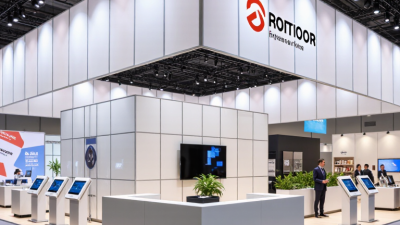
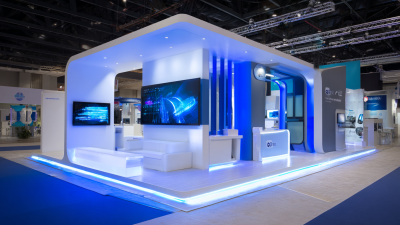
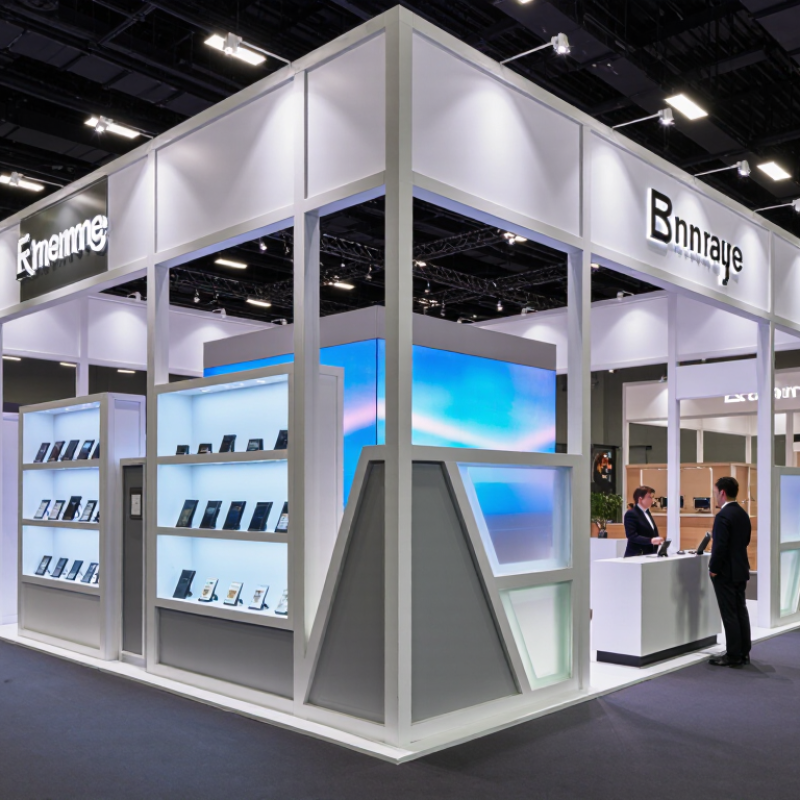
Well-planned display systems help exhibitors use their booth space to draw attention and present a consistent brand experience.

Common Trade Show Booth Footprints

These example booth dimensions—10 × 10 ft, 10 × 20 ft, and 20 × 20 ft—represent 100, 200, and 400 square feet. A display system can help organize graphics, product areas, and visitor pathways within the available footprint; booth size alone does not guarantee visitor traffic or brand recognition.

How They Present Products and Support Visitor Interaction

At a trade show, visitors often decide within seconds whether a booth feels worth exploring. An exhibition display system shapes that first impression while giving products a clear, useful place. A low plinth can bring a small device closer to eye level, while open shelving lets people compare finishes without asking for help. Place one sample near the aisle and keep fragile or detailed items slightly farther back. That matters.

Readable graphics should answer practical questions, not merely decorate the wall. Use short labels for size, material, setup, or common use. A diagram beside a working sample can explain a mechanism faster than a paragraph. Leave enough space for two visitors to pause without blocking the walkway. Small choices help. A counter positioned at the edge can invite a quick conversation, while a demo surface gives staff room to show one feature at a time.

Interaction should feel optional, not forced. Offer a sample to handle, a screen with a simple navigation path, or a clear question that starts discussion. Watch where people stop and what they overlook; those details can reveal whether the layout communicates as intended. Still, more screens and signs do not automatically improve a booth. A crowded display can distract from the product, and a touch screen may be ignored when visitors are carrying bags. Adjustments are rarely perfect on the first attempt. Test sightlines and reach before the show opens.

How to Choose a Display System for Trade Show Objectives

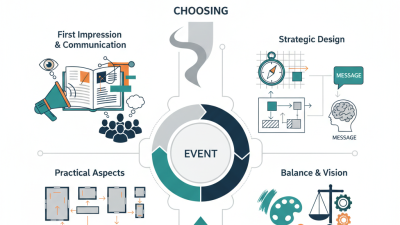
Choose a trade show display system around one measurable objective: book qualified meetings, demonstrate a product, or collect leads. Then map the visitor journey. For meetings, include a quiet table away from the aisle. For demonstrations, leave clear viewing space and place screens where glare will not wash them out. A compact modular system may suit a small footprint; a larger booth may need distinct zones. Do not choose by appearance alone. A striking design can still fail if staff cannot greet visitors or store materials.

CEIR attendee profile research has reported that 81% of trade show attendees have buying authority. That figure is a useful reminder to make key information easy to scan, but it should not replace research into your own audience. Define success before selecting graphics, lighting, and furniture. Ask how many conversations the team can handle at once, and test the layout with actual staff. We have seen plans look spacious on paper and feel crowded once chairs, bags, and visitors arrive. That deserves a second look.

Tips: Measure the booth, confirm venue rules, and sketch visitor flow. Prioritize readable messaging, accessible routes, and simple setup. If the objective changes, reconsider the system—not just the graphics.